Dashboard for Ghost
With two engineers, I designed and helped build a new dashboard experience for Ghost customers.
Ghost
Lead Product Designer
UX · UI · Prototyping · Figma · CSS · JS · Product Management
Setting up the team
We had a small team, two engineers and me as the designer, working on a redesign of the Dashboard for Ghost. We knew we wanted richer member analytics to help customers understand their audience growth. Ghost follows Shape Up, the product process championed by Basecamp and Ryan Singer. With that framework in place, we set a six-week appetite to get it designed and shipped.
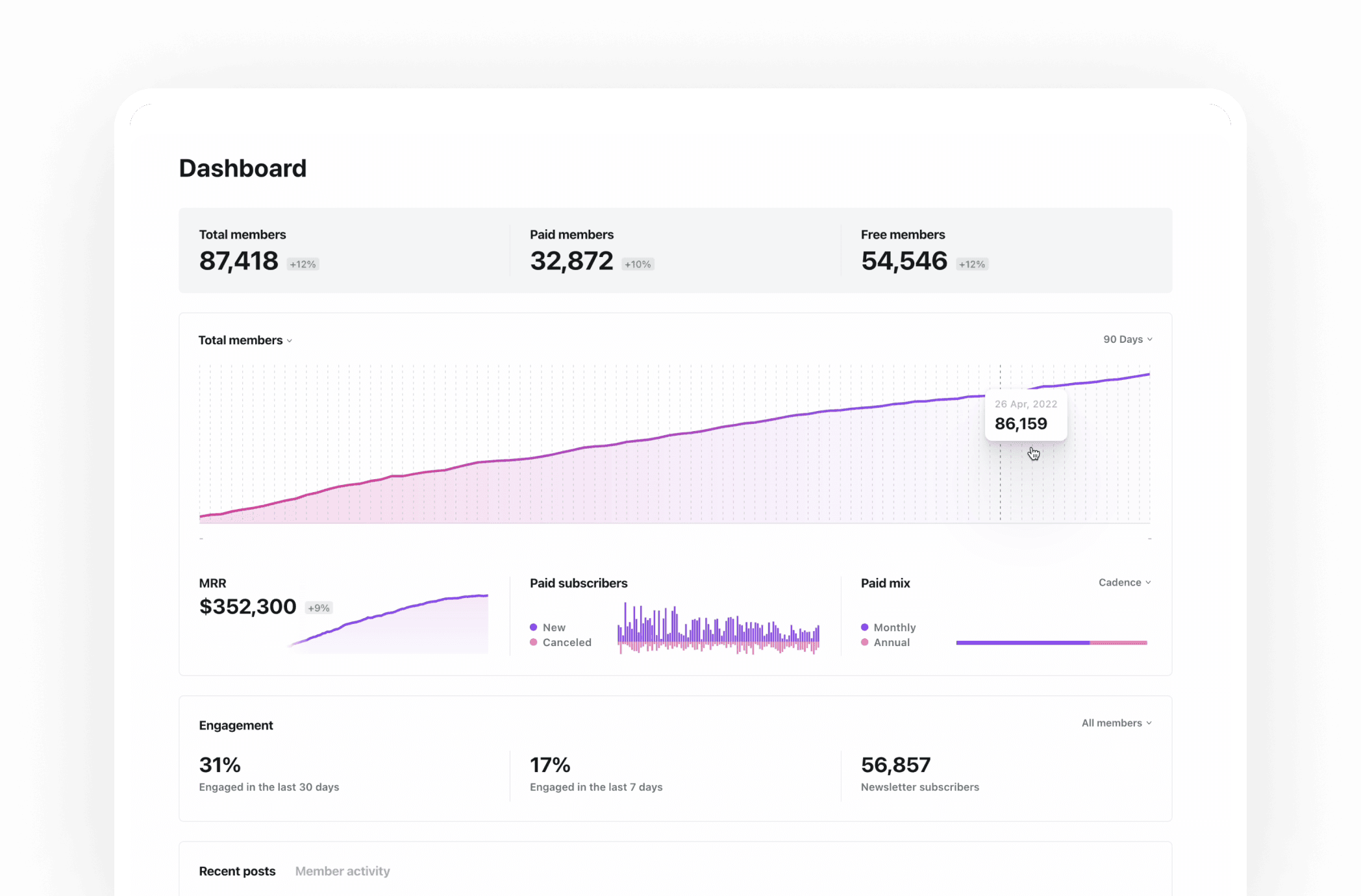
Design-led company
One of the core principles of Shape Up is that scope is variable, but time is not. We were shipping at the end of those six weeks, so we had to make tough calls along the way. Ghost is a design-led company, which gave us room to push the Dashboard visually and make it a better entry point for new and returning customers. We wanted something useful, engaging and attractive enough to come back to every day.
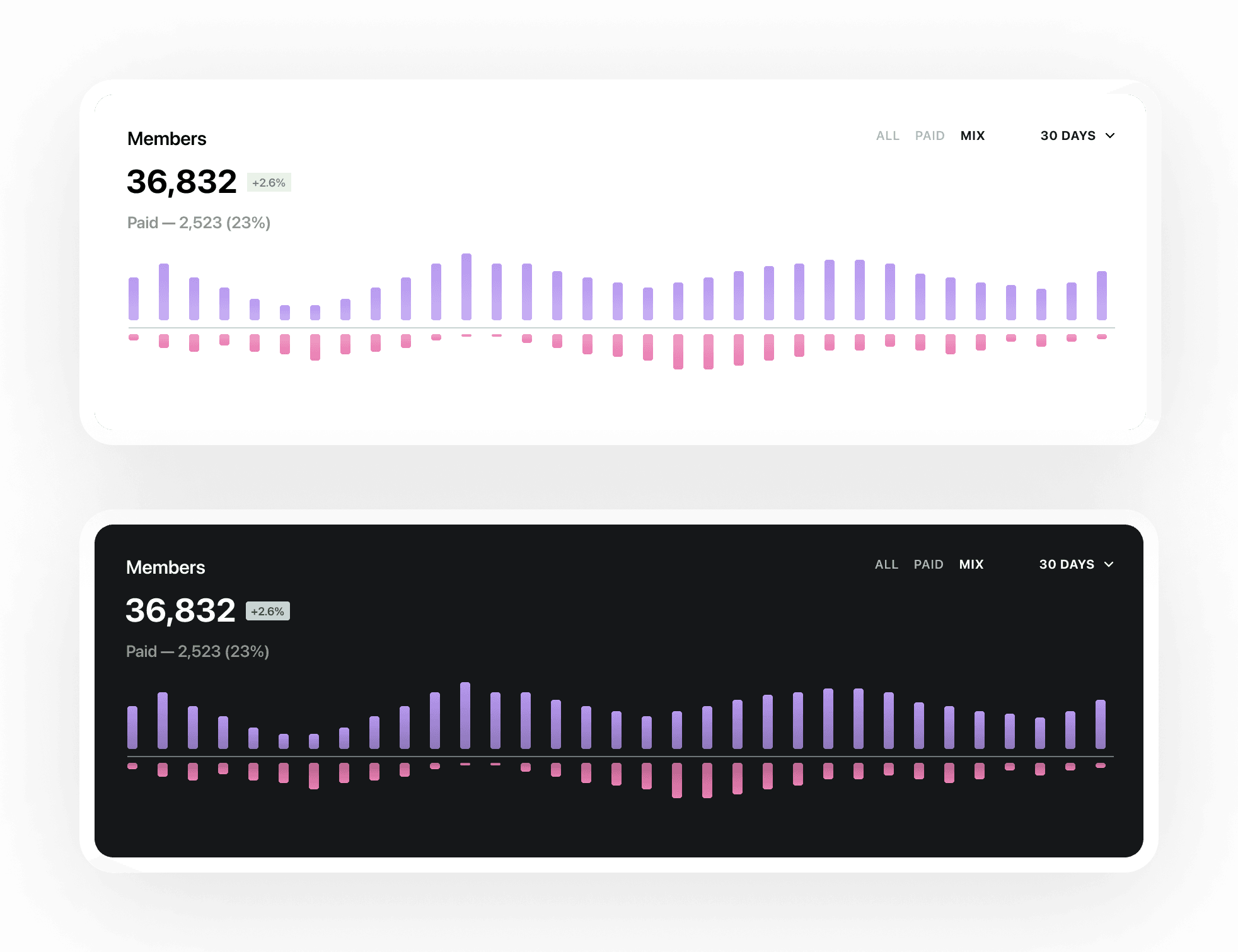
Fast iterations
Alongside design iterations in Figma, I used code to move quickly through prototypes. I'd worked on smaller Ghost projects before, but this was a larger project in the main EmberJS codebase. I also picked up ChartJS for the charts, drawing on my experience with Highcharts from my time working on analytics at Buffer. Figma and code helped me explore ideas quickly, share them with the design team and stay close to the engineers as we worked through the technical details.
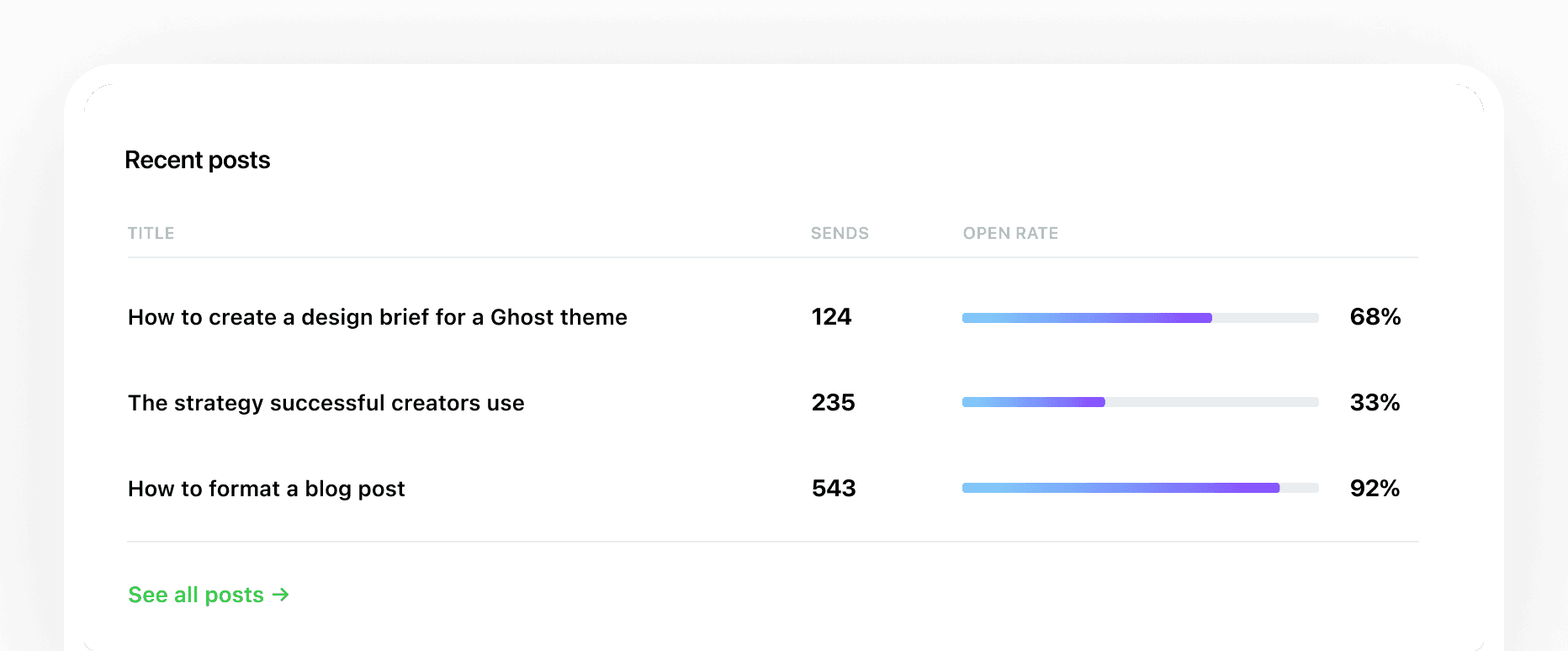
A super strong brief
Though our team was small, we had support from Peter, our head of product, and Zimo, our head of design. In Shape Up, a shaping team dives into a project beforehand and creates the brief for the build team. The execution can take different forms, but the brief gives you the core parts that need to land. For us, that meant member totals, engagement, free and paid metrics, recent posts, plus updates and resources from Ghost itself.
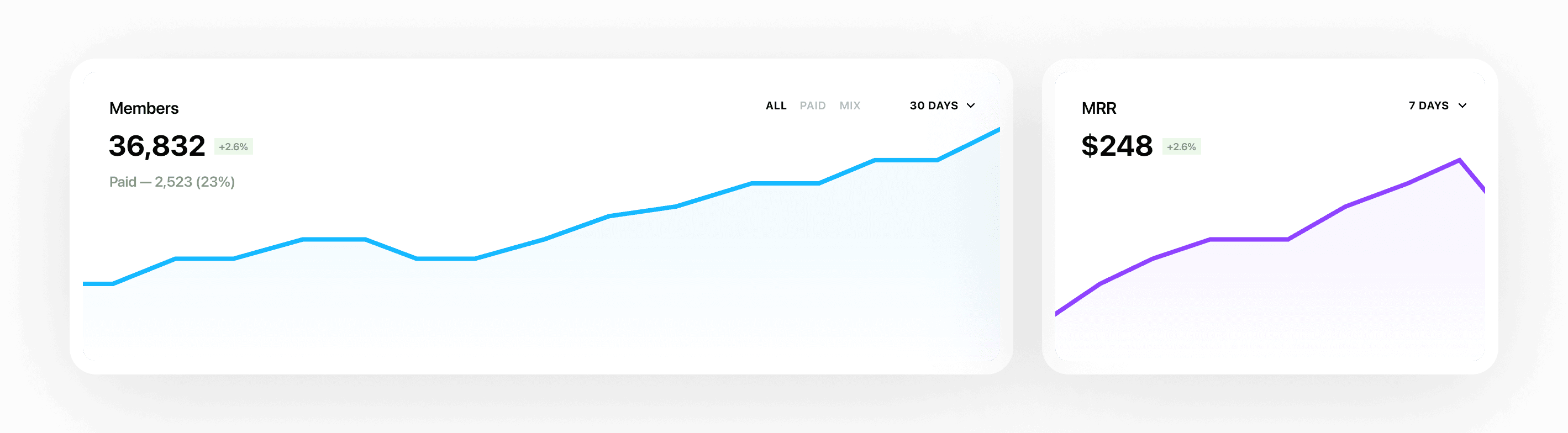
How the design came together
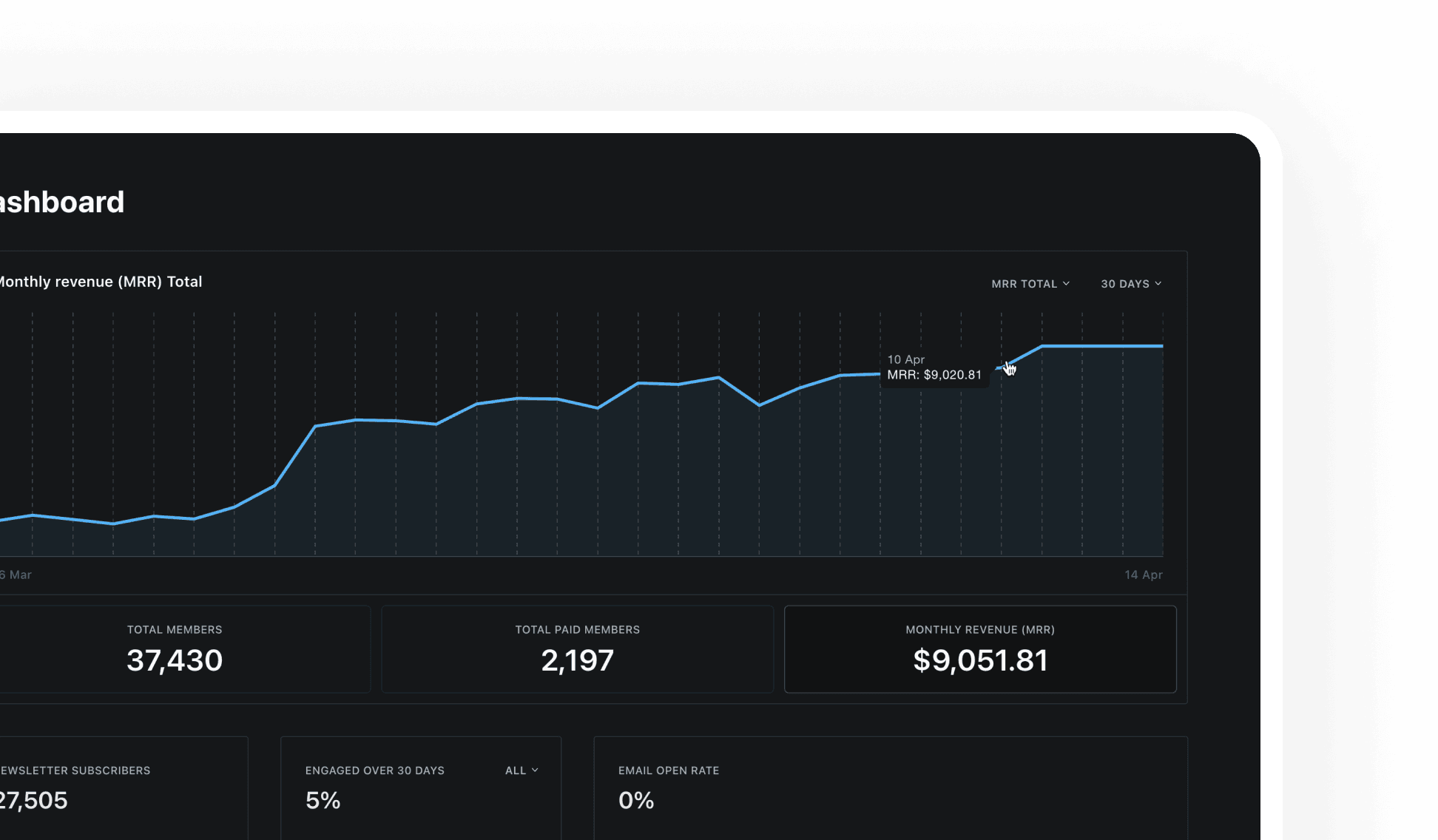
Early on, we wanted a large member totals chart front and centre. It would give the page visual impact, but it would also show customers that this metric mattered. The challenge was balancing at-a-glance metrics for quick daily check-ins with enough detail to make the Dashboard genuinely useful.
With every major Ghost release, the company pushes the admin forward in both how it looks and how it works. The new Dashboard was part of the next release, so it had to be useful and visually strong. We couldn't push it too far, though. The graphs and tables needed to feel fresh and modern while still fitting Ghost. Neon purples, pinks and blues gave us that balance.
Getting it all together
We went through plenty of iterations in Figma and code to get all the pieces to fit together. On one page we had total members, engagement, free and paid metrics, recent posts, what's new from Ghost, resources and more. Code was the best way to stress-test it, because we could use real data, real charts and real content. After several rounds of feedback, we found a balance that looked strong and gave customers a much more useful home than they had before.